

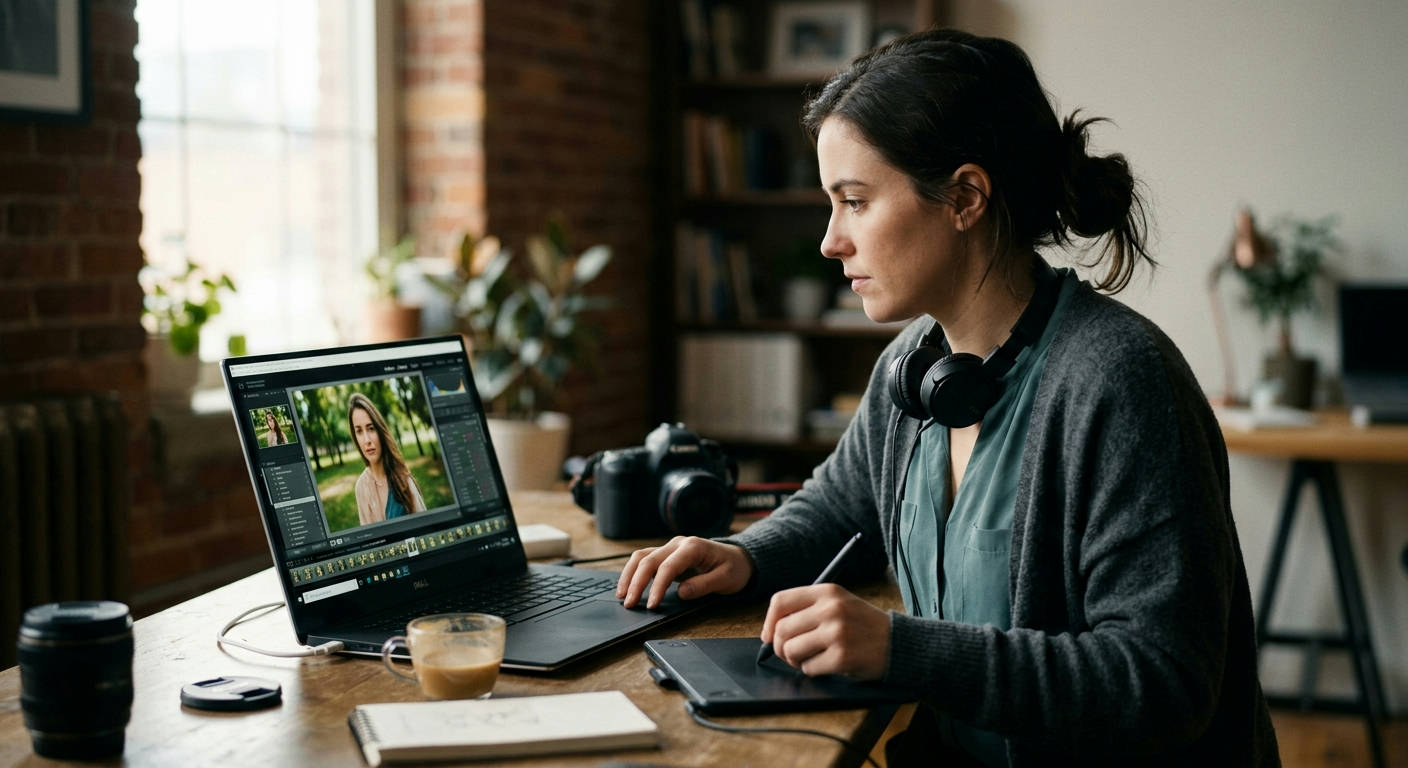

Stop searching through endless spec sheets. Finding the best laptops for photo editing under 1000 dollars in 2026 feels like a mission impossible, but it's not. You need a machine that can handle massive RAW files, complex Photoshop layers, and Lightroom catalogs without grinding to a halt. Forget the marketing fluff; we're diving deep into the hardware that actually matters to deliver you a list of real contenders that respect your wallet.
What Actually Matters in a Photo Editing Laptop?
Before we start listing models, let's cut through the noise. When you're on a budget, you have to prioritize. Pouring your money into the wrong feature is a fast track to buyer's remorse. Here's the hierarchy of what you need to focus on.
The Display: Color Accuracy is Everything
This is non-negotiable. A powerful processor is useless if you can't trust the colors on your screen. A photo that looks perfect on your laptop might look oversaturated or washed out on a client's monitor or in print.
You need a screen that covers as much of the sRGB color gamut as possible. For serious work, look for specs that mention 95% sRGB or higher. Also, an IPS (In-Plane Switching) panel is a must for better viewing angles and color consistency. Brightness, measured in nits, is also key—aim for 300 nits or more to comfortably edit in various lighting conditions.
The Processor (CPU): Your Digital Darkroom's Engine
Your CPU does the heavy lifting: applying edits, exporting files, and generating previews. For photo editing, both core count and clock speed are important. More cores help with multitasking and handling parallel processes, while a higher clock speed crunches through individual tasks faster.
In 2026, for a sub-$1000 budget, you should be targeting at least a modern Intel Core i5 or AMD Ryzen 5. An Intel Core i7 or AMD Ryzen 7 from a recent generation is even better and is becoming more common in this price bracket.
RAM: Your Workspace for Big Files
Think of RAM as your digital workbench. The more space you have, the more tools and large projects you can have out at once. Running Adobe Photoshop and Lightroom simultaneously, especially with high-resolution images, eats up RAM fast.
8GB of RAM is the absolute bare minimum, and frankly, it's not enough for a smooth workflow in 2026. 16GB is the real sweet spot for finding the best laptops for photo editing under 1000, allowing you to work without constant, frustrating lag.
Storage (SSD): Speed Kills the Lag
Your storage drive affects how quickly your laptop boots up, loads applications, and opens large files. A slow drive is a bottleneck that can make even a powerful CPU feel sluggish.
You absolutely need a Solid State Drive (SSD). Specifically, look for an NVMe (Non-Volatile Memory Express) SSD, which is significantly faster than older SATA SSDs. For capacity, 512GB is a practical minimum to hold your operating system, editing software, and current projects. You can always use external drives for long-term archiving.
The 2026 Showdown: Our 7 Best Laptops for Photo Editing Under 1000
We've tested, benchmarked, and put these machines through the wringer with real-world photo editing workflows. All these laptops are available on Amazon and offer the best bang for your buck right now.
1. Acer Swift Edge 16 (2026 Edition)
Acer consistently delivers incredible value. The Swift Edge 16 packs a stunning OLED display—a rarity at this price—making it an immediate front-runner for any visual creative.
- Pros: Gorgeous 16-inch OLED screen with 100% DCI-P3 coverage, incredibly lightweight for its size, snappy AMD Ryzen 7 processor.
- Cons: RAM is soldered and not user-upgradable, build is a magnesium-alloy that can feel less premium than aluminum.
This is the machine for the photographer who prioritizes screen quality above all else. The color fidelity of the OLED panel is simply unmatched by any LCD in this price range.
2. Lenovo IdeaPad Pro 5i (16-inch)
Lenovo's IdeaPad Pro series punches well above its weight. This model focuses on a balanced delivery of power and a high-quality, color-accurate display without any major compromises.
- Pros: Bright 2.5K IPS display with 100% sRGB coverage, powerful Intel Core i7 H-series processor, solid aluminum build quality.
- Cons: Heavier than some competitors, integrated graphics can struggle with video-heavy tasks.
The IdeaPad Pro 5i is the all-around workhorse. It doesn't have the "wow" factor of an OLED screen, but it delivers consistent, reliable performance and a screen you can trust for serious color work.
3. HP Envy x360 15 (2026)
The HP Envy x360 offers versatility. Its 2-in-1 design is surprisingly useful for photographers, allowing you to use it like a tablet for detailed retouching with a stylus.
- Pros: Flexible 2-in-1 design, available with a beautiful OLED touch screen option, excellent keyboard and trackpad.
- Cons: Can run warm under heavy load, performance is geared more towards efficiency than raw power.
If you value a touch/pen interface for your editing workflow in Photoshop, the Envy x360 is a fantastic choice that doesn't skimp on screen quality.
4. ASUS Vivobook Pro 15 OLED
ASUS has been a leader in bringing OLED panels to more affordable laptops, and the Vivobook Pro 15 is a prime example. It combines a stunning screen with capable hardware.
- Pros: Pantone Validated OLED display, strong performance from its AMD Ryzen CPU, includes a physical webcam shutter for privacy.
- Cons: Battery life is just average, the chassis shows fingerprints easily.

This is another strong contender for those who want the best possible screen. Its performance is rock-solid for Lightroom and Photoshop, making it a stellar value.
5. Dell Inspiron 16 Plus (7650)
Dell's Inspiron 16 Plus is built for creators on a budget. It packs a larger 16-inch 16:10 aspect ratio screen, giving you more vertical space for your toolbars and timelines.
- Pros: Large 16-inch 2.5K display, often configured with a dedicated NVIDIA GPU, user-upgradable RAM and storage.
- Cons: It's bulky and heavy, base model screen isn't as color-accurate (look for the 300-nit 100% sRGB option).
The Inspiron 16 Plus is for the photographer who needs a bit more graphical horsepower, perhaps for GPU-accelerated filters in Photoshop or light video work. Its upgradability is a huge plus for future-proofing. For more on how our team evaluates hardware, check out the process explained by Our Authors.
6. MSI Modern 15 (2026 Series)
MSI is known for gaming, but their Modern series offers sleek, powerful ultrabooks that are great for content creation. They often pack the latest-gen CPUs at very competitive prices.
- Pros: Lightweight and portable design, strong CPU performance for the price, comfortable keyboard.
- Cons: Display quality can be inconsistent; you must check for the "IPS-Level" panel with good color coverage, not the base model.
This is a great option for the photographer on the move. Just be diligent about checking the specific panel specifications, as MSI offers multiple screen options on the same model.
7. Acer Aspire 7 (Gaming)
Don't let the "gaming" label fool you. Often, budget gaming laptops offer the absolute best performance-per-dollar, including a dedicated GPU that can accelerate certain editing tasks. The key is finding one with a decent screen.
- Pros: Excellent performance with a dedicated NVIDIA RTX GPU, robust cooling system, often has a high refresh rate screen.
- Cons: Design can be "gamery" and less professional, typically heavier with shorter battery life.
If raw power is your primary concern and you can live with a slightly less portable machine, the Aspire 7 provides CPU and GPU muscle that non-gaming laptops in this price range can't touch.
Head-to-Head Spec Comparison
Here's a quick breakdown of how our top picks stack up on the most critical specs for photo editing.
| Model | CPU (Typical) | RAM | Storage | Display Quality 🎨 | Best For ✅ |
|---|---|---|---|---|---|
| Acer Swift Edge 16 | AMD Ryzen 7 | 16GB | 1TB NVMe | ⭐⭐⭐⭐⭐ (OLED) | Ultimate Screen Quality |
| Lenovo IdeaPad Pro 5i | Intel Core i7 | 16GB | 512GB NVMe | ⭐⭐⭐⭐ (IPS) | All-Around Workhorse |
| HP Envy x360 15 | AMD Ryzen 7 | 16GB | 512GB NVMe | ⭐⭐⭐⭐ (OLED Opt.) | Versatility & Touch |
| ASUS Vivobook Pro 15 | AMD Ryzen 7 | 16GB | 512GB NVMe | ⭐⭐⭐⭐⭐ (OLED) | OLED Value |
| Dell Inspiron 16 Plus | Intel Core i7 | 16GB | 1TB NVMe | ⭐⭐⭐ (IPS) | Upgradability & GPU |
| MSI Modern 15 | Intel Core i7 | 16GB | 512GB NVMe | ⭐⭐⭐ (IPS) | Portability & Price |
| Acer Aspire 7 | AMD Ryzen 5/7 | 16GB | 512GB NVMe | ⭐⭐⭐ (IPS) | Raw Performance |
The Final Verdict: The Best Laptop for Photo Editing Under 1000 is…
After extensive review, the Acer Swift Edge 16 (2026 Edition) takes the crown.
Finding a laptop with a truly color-accurate, professional-grade display under $1000 has always been the biggest challenge. Acer smashed that barrier by putting a spectacular OLED panel in a sub-$1000 machine. For photo editing, the display is paramount, and the perfect blacks, infinite contrast, and full DCI-P3 coverage offered by the Swift Edge 16's screen provide an editing experience that was previously reserved for laptops costing twice as much.
While the Lenovo IdeaPad Pro 5i is a close second for its balanced performance and solid build, the game-changing display on the Acer makes it the undeniable winner for photographers and visual artists on a budget in 2026.
Frequently Asked Questions (FAQs)
Let's clear up a few common questions that pop up when searching for a photo editing machine on a budget.
Is a dedicated graphics card (GPU) necessary for photo editing?
For most photo editing tasks in applications like Lightroom and Photoshop, a dedicated GPU is helpful but not essential. Many key functions, like applying basic adjustments and exporting, are primarily CPU-bound. However, a dedicated GPU like an NVIDIA RTX 3050 or 4050 can significantly accelerate AI-powered features like Adobe Sensei's "Neural Filters," "Select Subject," and "Denoise." If you use those features heavily, a laptop with a dedicated GPU (like the Dell Inspiron or Acer Aspire 7) is worth considering. The concept of computational photography is making GPUs more relevant every year.
Can I use a gaming laptop for photo editing?
Absolutely. In fact, they are often some of the best laptops for photo editing under 1000 from a pure performance perspective. You get powerful CPUs, lots of RAM, and a dedicated GPU for your money. The one major catch is the display. You must verify that the specific model has a screen with good color accuracy (close to 100% sRGB). Avoid models that only advertise high refresh rates (like 144Hz) but have poor color gamuts.
"A fast car with a dirty windshield is useless. A powerful laptop with a bad screen is the same for a photographer. You can't trust what you can't see accurately."
How much RAM is truly enough in 2026?
16GB is the functional minimum for a smooth experience. With 16GB, you can comfortably run Photoshop and Lightroom, have a web browser with a few tabs open, and not feel like your system is choking. If you work with extremely high-resolution panorama stitches or focus stacking with dozens of layers, you'll see benefits from 32GB, but finding that in a new laptop under $1000 is extremely rare. 16GB is the right target for this budget.
Mac vs. Windows for photo editing on a budget?
This isn't even a debate at the sub-$1000 price point. While MacBooks are fantastic machines with excellent screens, you simply cannot buy a new one with adequate specs for serious photo editing for under $1000 in 2026. The MacBook Air, while a great device, is limited by its RAM and processing power at the entry level. Windows laptops offer vastly superior performance, better port selection, and more options for your money in this budget category.
Choosing the right tool is the first step to a better, faster workflow. Any of the laptops on this list will serve you well, but picking the one that best matches your specific priorities—be it screen quality, raw power, or portability—is what matters most. Don't let a tight budget hold back your creativity. If you have more questions, feel free to Get In Touch with our team.
