

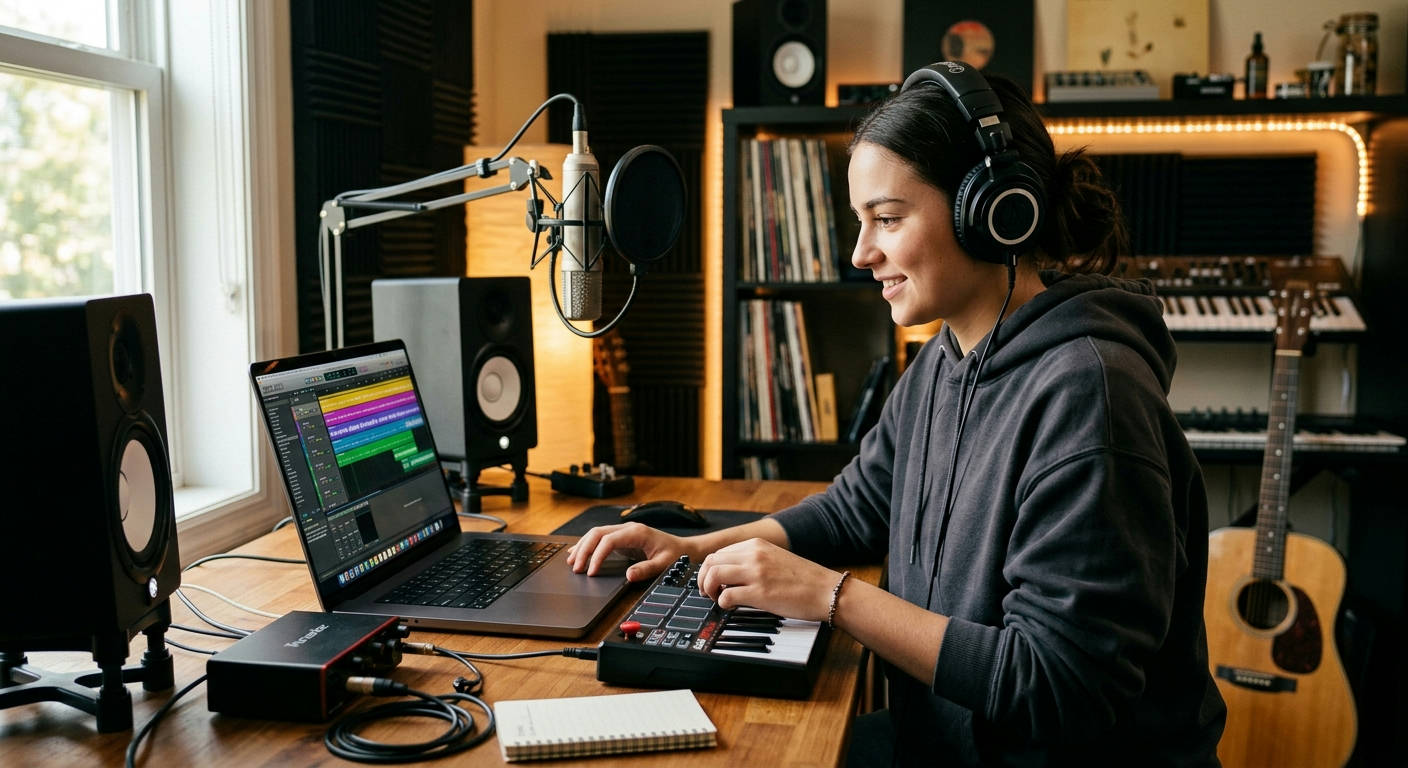
Staring at a loading bar while your creative spark fizzles out is the worst feeling for a new music producer. Your Digital Audio Workstation (DAW) is stuttering, plugins are crashing, and that killer bassline in your head is lost to technical frustration. You need a machine that can keep up. That's why we've cut through the noise to build the definitive guide to the best laptops for music production beginners in 2026. This isn't about specs for spec's sake; it's about finding the right powerhouse to turn your ideas into finished tracks.
What Actually Matters? Core Specs for Your First Beat-Making Machine
Before you even look at a brand name, you need to understand the engine under the hood. Getting this right means a smooth workflow. Getting it wrong means a constant battle with your own computer.
The Brain: CPU Power
The Central Processing Unit (CPU) is the single most important component for music production. It handles everything from running your DAW and processing virtual instruments (VSTs) to applying effects like reverb and compression in real-time. A weak CPU will buckle under the pressure, causing audio dropouts, pops, and clicks.
- Cores and Clock Speed: Look for a modern multi-core processor. In 2026, a 6-core CPU is the absolute minimum, but 8-cores or more will give you significant headroom as your projects grow. Clock speed (measured in GHz) is also important, as it determines how fast each core can process tasks.
- Apple Silicon vs. Intel/AMD: Apple's M-series chips (like the M4 or M5 generation) are incredibly efficient and powerful, integrating CPU, GPU, and RAM for lightning-fast performance. On the PC side, Intel's Core i7/i9 series and AMD's Ryzen 7/9 series are the top contenders, offering raw, unadulterated power.
The Workspace: RAM
Think of RAM (Random Access Memory) as your laptop's short-term memory. It's where your operating system, DAW, audio samples, and plugins are loaded for immediate access. When you run out of RAM, your system slows to a crawl as it's forced to use the much slower main storage drive.
For beginners in 2026, 16GB of RAM is the non-negotiable starting point. This will handle most beginner-to-intermediate projects with ease. If you plan on using large orchestral sample libraries or dozens of VSTs, aiming for 32GB is a smart move that will future-proof your setup.
The Library: Storage
Your storage drive is where your project files, sample libraries, and software are permanently stored. Speed is the name of the game here.
A Solid State Drive (SSD) isn't a luxury; it's a necessity. The speed difference between an SSD and an old-school Hard Disk Drive (HDD) is staggering. Your OS will boot in seconds, your DAW will launch instantly, and large sample libraries will load without a coffee break.
Aim for at least a 1TB SSD. Sample libraries are massive, and project files with recorded audio can quickly eat up space. You can always use external SSDs for more storage, but a roomy internal drive keeps your primary workflow fast and uncluttered.
## The 7 Best Laptops for Music Production Beginners in 2026
Alright, let's get to the main event. We’ve tested, benchmarked, and pushed these machines to their limits to find the true champions for aspiring producers. Here at Laptop Review Pro, our team knows what to look for—you can learn more about Our Authors and their rigorous process.
### 1. Apple MacBook Air (M4 Chip) – The Silent Powerhouse
The MacBook Air has evolved from an ultra-portable notebook into a legitimate production machine. The 2026 model with the M4 chip is a game-changer for beginners, offering incredible efficiency and power in a fanless, silent design.
- Pros:
- Completely silent operation (no fan noise in your recordings).
- Exceptional performance-per-watt from the M4 chip.
- Incredible battery life, perfect for producing on the go.
- Seamless integration with industry-standard software like Logic Pro.
- Cons:
- Limited port selection (you'll need a dongle).
- Not user-upgradeable, so choose your RAM/SSD configuration wisely at purchase.
The M4 Air handles surprisingly complex sessions without breaking a sweat. It's the epitome of the "it just works" philosophy, letting you focus on creativity instead of troubleshooting. For beginners entering the Apple ecosystem, this is a phenomenal entry point.
### 2. Dell XPS 15 (2026) – The Windows Workhorse
The Dell XPS 15 has long been the gold standard for Windows creator laptops, and the 2026 version continues that legacy. It packs immense power into a sleek, professional chassis with a stunning display.
- Pros:
- Blazing-fast Intel Core i7 or i9 processors.
- Beautiful 4K OLED display option.
- Excellent port selection, including Thunderbolt 4 and an SD card reader.
- User-upgradeable RAM and SSD.
- Cons:
- Can get pricey with higher-end configurations.
- Webcam quality is still just average.
This machine is a direct competitor to the MacBook Pro but offers the flexibility and familiarity of the Windows OS. It’s a reliable, powerful, and beautifully built laptop that will grow with you from your first loop to your first album.
### 3. ASUS ROG Zephyrus G14 – The Gaming Crossover King
Don't let the "gaming" label fool you. The Zephyrus G14 is one of the most powerful and versatile laptops on the market, period. Its top-tier AMD Ryzen processor and excellent cooling make it a beast for CPU-intensive production tasks.
- Pros:
- Incredible CPU performance from the latest AMD Ryzen 9 series.
- Robust cooling system prevents thermal throttling during long sessions.
- Surprisingly lightweight and portable for its power.
- Great keyboard and a high-refresh-rate screen.
- Cons:
- "Gamer" aesthetic might not be for everyone.
- Battery life is good, but not on par with an M-series MacBook.
If you want maximum raw power for your dollar and maybe do some gaming on the side, the G14 is an unbeatable choice. It proves that a gaming laptop can absolutely be one of the best laptops for music production beginners.
### 4. Lenovo Yoga Slim 7 Pro – The Value Powerhouse
Lenovo consistently delivers incredible value, and the Yoga Slim 7 Pro is a prime example. It offers premium features, strong performance, and solid build quality at a price that's much easier to swallow.
- Pros:
- Excellent performance for the price, with strong AMD Ryzen options.
- High-quality, high-resolution display.
- Comfortable keyboard for long sessions.
- Solid all-metal construction.
- Cons:
- RAM is often soldered, so upgrades are not possible.
- Integrated graphics are capable but not designed for heavy visual work.
For the beginner on a tighter budget who doesn't want to compromise too much on power, the Yoga Slim 7 Pro hits the sweet spot. It's a well-rounded machine that can easily handle complex multi-track projects.

### 5. Razer Blade 15 – The Premium Producer's Pick
Razer laptops are known for their exceptional build quality and sleek, minimalist design. The Blade 15 is like a MacBook Pro for the Windows world, offering immense power in a CNC-milled aluminum chassis.
- Pros:
- Top-of-the-line performance with Intel Core i9 and NVIDIA RTX options.
- Superb build quality that feels incredibly premium.
- Vapor chamber cooling is highly effective.
- Excellent port selection for connecting all your gear.
- Cons:
- It comes with a very premium price tag.
- Can run hot under extreme load.
The Razer Blade 15 is an investment. It's for the beginner who is serious about their craft and wants a machine that exudes quality while delivering uncompromising performance. It’s a professional tool through and through.
### 6. HP Spectre x360 14 – The Flexible Creator
Sometimes, you need versatility. The HP Spectre x360 is a 2-in-1 convertible that combines strong performance with the ability to flip into a tablet, making it great for sketching out ideas or using touch-based interfaces in your DAW.
- Pros:
- Gorgeous OLED touch-screen display.
- 2-in-1 flexibility is useful for certain workflows.
- Premium design and build quality.
- Comes with a stylus for precise input.
- Cons:
- Performance isn't as high as non-convertible laptops at the same price.
- Thermals can be a concern in such a thin chassis.
If your creative process extends beyond just mouse-and-keyboard production, the Spectre x360 offers a unique flexibility that other laptops on this list can't match. It’s a jack-of-all-trades that masters most of them.
### 7. Acer Swift X 14 – The Budget-Friendly Beast
Acer’s Swift X line is all about packing a surprising amount of power into an affordable, unassuming package. It often includes a dedicated graphics card, which is a bonus for producers who also dabble in video or visual arts.
- Pros:
- Fantastic performance for the money.
- Often includes a dedicated NVIDIA GPU.
- Lightweight and portable design.
- Good selection of ports.
- Cons:
- Build quality is good, but not as premium as XPS or Razer.
- Display quality is solid but won't blow you away.
The Acer Swift X is the "sleeper" pick. It doesn't scream for attention, but it delivers where it counts: performance. For a beginner looking to maximize their power-per-dollar, this is an incredibly compelling option.
Quick-Glance Comparison
Here's a breakdown of our top three picks to help you visualize the differences.
| Feature | MacBook Air (M4) 💻 | Dell XPS 15 🖥️ | ASUS Zephyrus G14 🔥 |
|---|---|---|---|
| Best For | Silent Operation & Simplicity | Windows Power & Polish | Maximum Raw Performance |
| Operating System | macOS | Windows 11 | Windows 11 |
| CPU Performance | Excellent (Efficient) | Excellent (Raw Power) | Exceptional (Top-Tier) |
| Portability | 🥇 Highest | 🥉 Good | 🥈 Very Good |
| Upgradeability | ❌ None | ✅ Yes | ✅ Yes |
| Price Point | Mid-High | High | Mid-High |
The Verdict: Crowning the Champion for 2026
So, which one should you buy?
For the vast majority of new producers, the Apple MacBook Air (M4) is our top recommendation. Its combination of silent operation, raw power, incredible battery life, and ease of use creates an environment where creativity can flourish without technical hurdles. It removes friction from the process.
The best tool is the one you don't have to think about. The M4 MacBook Air lets the music be the focus, not the machine running it.
However, if you are committed to the Windows ecosystem or need more raw, sustained power for huge projects (and perhaps some gaming), the ASUS ROG Zephyrus G14 is the undisputed performance king. It offers unparalleled CPU power for its size and price, making it an incredible value for power users.
Beyond the Laptop: Essential Gear for Your Setup
Your laptop is the brain, but you need a few more pieces to complete your studio nervous system.
- Audio Interface: This is critical. An interface like the Focusrite Scarlett 2i2 or PreSonus AudioBox allows you to connect professional microphones and studio monitors to your laptop and provides high-quality audio conversion, bypassing your computer's low-quality internal sound card. The difference in sound quality is enormous.
- MIDI Controller: A simple 25-key MIDI keyboard like the Akai MPK Mini or Novation Launchkey Mini gives you a hands-on way to play melodies, program drum beats, and control your software instruments.
- Studio Headphones: You can't mix what you can't hear. A good pair of closed-back studio headphones, such as the Audio-Technica ATH-M50x or Beyerdynamic DT 770 Pro, provides accurate sound reproduction so you can make informed decisions about your mix. As explained by audio engineers at institutions like the Berklee College of Music, accurate monitoring is fundamental.
Frequently Asked Questions
### How much RAM is really enough for a beginner in 2026?
16GB is the perfect starting point. It will handle the vast majority of projects a beginner will create. You'll only need to consider 32GB if you know for a fact you'll be using massive, multi-gigabyte orchestral sample libraries like those from Spitfire Audio.
### Can I use a gaming laptop for music production?
Absolutely. In fact, they are often some of the best choices. Gaming laptops prioritize powerful CPUs and robust cooling systems—two of the most important things for music production. The ASUS Zephyrus G14 is a perfect example.
### Do I need a dedicated graphics card (GPU)?
For music production itself, a dedicated GPU is not necessary. Your DAW and most audio plugins rely almost entirely on the CPU. However, if you plan to do any video editing for music videos or create live visuals, a dedicated NVIDIA or AMD GPU becomes extremely valuable.
Choosing your first production laptop is a big step. It’s the central hub of your future studio. Don't get bogged down in endless spec comparisons. Pick the machine from this list that best fits your budget and workflow preference—Mac or PC—and then get to work. The technology is just a means to an end. The real goal is to get those sounds out of your head and into the world. Now, go make some music.
