

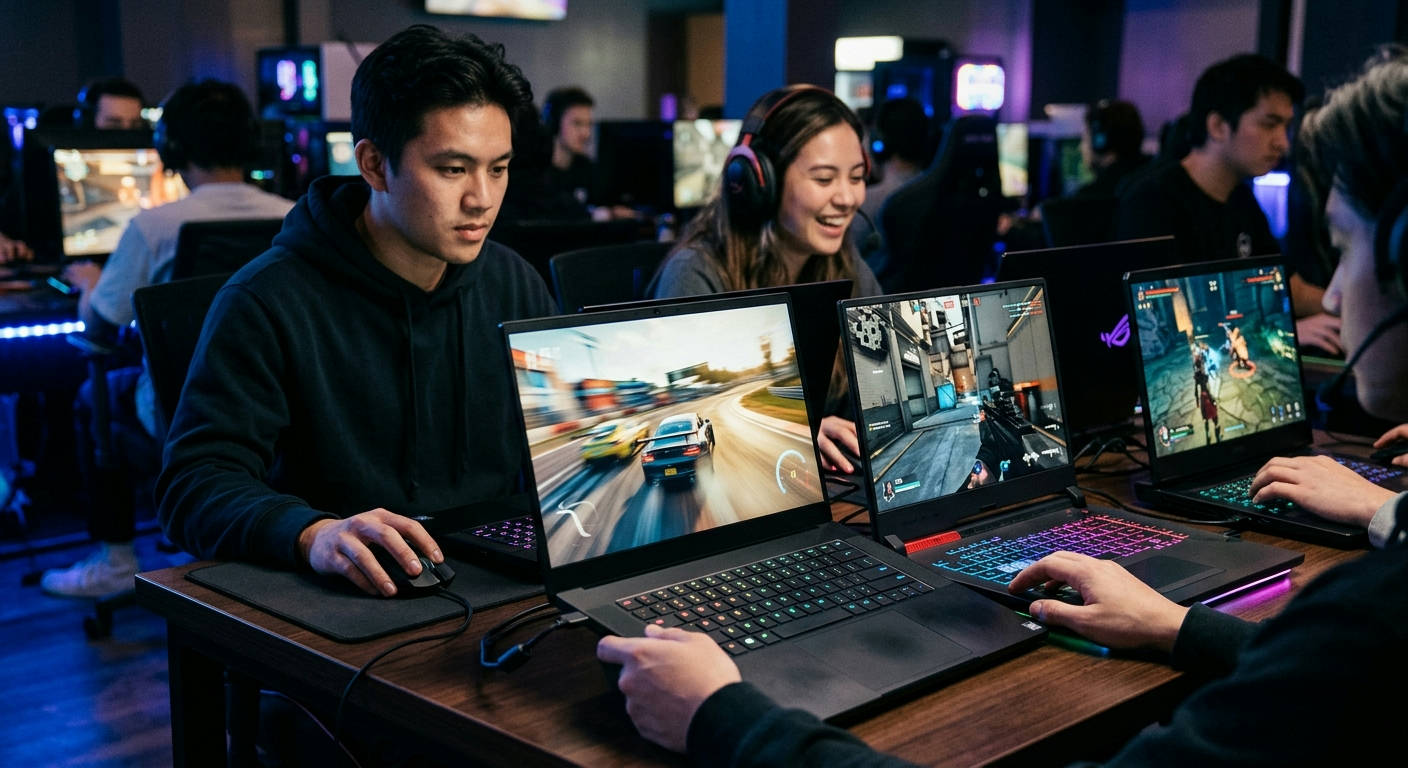

Stop scrolling. If you're tired of choppy gameplay and blurry motion, you've landed in the right place. Finding the best laptops with high refresh rate displays is no longer just for professional esports athletes; it's a critical upgrade for anyone who values a buttery-smooth visual experience. In 2026, a standard 60Hz screen feels ancient. We're here to cut through the marketing noise and guide you to the machines that deliver truly fluid visuals for gaming, creating, and even just navigating your desktop.
Why a High Refresh Rate is Non-Negotiable in 2026
Think of a display's refresh rate, measured in Hertz (Hz), as the number of times it redraws the image per second. A standard 60Hz display shows you 60 frames per second. A 120Hz display shows you 120. This jump creates a night-and-day difference in perceived smoothness and responsiveness, drastically reducing motion blur and giving you a competitive edge.
Once you experience 120Hz or higher, going back to 60Hz feels like watching a stuttering slideshow. It’s an upgrade that fundamentally changes how you interact with your device.
Beyond the Battlefield: Smoothness for Everyone
While gamers reap the most obvious benefits, high refresh rate displays transform the entire user experience. For creative professionals, scrolling through complex video timelines in Adobe Premiere or panning across a massive design file in Figma becomes incredibly fluid, with no distracting jitter.
Even simple daily tasks, like scrolling through websites or whipping your mouse cursor across the screen, feel snappier and more connected. The entire operating system feels more responsive, making the laptop feel faster, even if the internal components are identical.
Deconstructing the Numbers: 120Hz, 165Hz, 240Hz, and Beyond
The market is flooded with different refresh rates, and it's easy to get lost. Here’s a quick breakdown of what to expect in 2026:
- 120Hz: This is the new baseline. It offers a significant, immediately noticeable improvement over 60Hz and is a fantastic entry point for both gaming and general productivity.
- 165Hz: A popular sweet spot, providing a tangible step up from 120Hz without the demanding GPU requirements of higher tiers. It's the perfect middle ground for most users.
- 240Hz: The standard for competitive gamers. At this level, you get incredibly low input lag and supreme motion clarity, which can make a real difference in fast-paced shooters like Valorant 2 or Apex Legends.
- 360Hz+: Once reserved for desktop monitors, these ultra-fast panels are now appearing in top-tier laptops. They are for the most serious competitors who need every possible millisecond of advantage. The difference from 240Hz is subtle but present for highly trained eyes.
Our Mission: Finding the ## Best Laptops with High Refresh Rate Displays
We don't just read spec sheets at Laptop Review Pro. We live and breathe this tech. Our team put these machines through a grueling series of real-world tests to separate the champions from the contenders.
How We Picked Our Winners
Our methodology is straightforward and user-focused. We ran each laptop through a suite of 2026's most demanding games at native resolution, measuring frame rates and observing motion clarity. We also spent hours using them for content creation and daily productivity to assess the "feel" of the display. We prioritized machines that pair their fast screens with powerful GPUs (like the NVIDIA RTX 50-series) capable of actually pushing the high frame rates needed to take advantage of the display. We also considered build quality, thermals, and overall value.
We believe a high refresh rate display is useless if the GPU can't keep up. It's like having a Ferrari engine in a car with flat tires. Our picks ensure the entire system works in harmony.
The Top 7 High Refresh Rate Laptops of 2026
After weeks of testing, benchmarking, and far too much caffeine, here are our top picks available on Amazon.
### 1. Alienware x17 R4 (2026): The Uncompromising Powerhouse
The Alienware x17 R4 is a statement piece. It’s big, bold, and packs the most powerful components you can stuff into a laptop chassis. Its stunning 17-inch QHD (2560×1440) 240Hz display is a perfect match for the top-tier NVIDIA RTX 5080 Ti GPU inside, delivering breathtaking visuals and blistering frame rates.
Pros:
- 🚀 Unmatched gaming performance with the latest Intel Core i9 and RTX 50-series GPUs.
- 🎨 Gorgeous 240Hz QHD panel with excellent color accuracy for creative work.
- 🧊 Advanced "Cryo-Tech" cooling keeps throttling at bay during intense sessions.
- ⌨️ Best-in-class mechanical keyboard option for a tactile typing experience.
Cons:
- 💰 Extremely expensive, a significant investment.
- ⚖️ Heavy and bulky, not ideal for frequent travel.
- 🔋 Battery life is, to put it mildly, an afterthought.
### 2. Razer Blade 16 (2026): The Creator's Dream Machine
Razer continues its reign as the king of premium, minimalist design. The 2026 Blade 16 is an elegant beast, featuring a revolutionary dual-mode Mini-LED display. It can switch between a razor-sharp 4K 120Hz mode for creative work and an ultra-fast FHD+ 240Hz mode for competitive gaming. It's the ultimate do-it-all machine for the user who demands versatility.
Pros:
- ✨ Innovative dual-mode Mini-LED display is a true game-changer.
- 💪 Sleek, CNC-milled aluminum chassis feels incredibly premium.
- ⚡ Excellent balance of top-tier performance and portability.
- 🔊 Upward-firing speakers with THX Spatial Audio sound fantastic.
Cons:
- 💸 Carries the significant "Razer tax."
- 🔥 Can run hot under heavy load, despite vapor chamber cooling.
- 👆 The chassis is a notorious fingerprint magnet.
### 3. ASUS ROG Zephyrus G14 (2026): The Portable Powerhouse
The Zephyrus G14 has always been a fan favorite, and the 2026 model perfects the formula. It packs an incredible amount of power into a compact 14-inch chassis. Its "Nebula" display is a 1600p 165Hz panel with stunning brightness and color, making it one of the most versatile and portable options on our list.
Pros:
- 🎒 Incredibly powerful for its small and lightweight size.
- 🌈 The 165Hz Nebula display is one of the best IPS panels on the market.
- 🔋 Surprisingly good battery life for a gaming laptop, thanks to AMD's efficiency.
- 😎 The optional AniMe Matrix lid is a unique and fun customization feature.
Cons:
- 💨 Fans can get quite loud under sustained load.
- 🔌 The most powerful performance mode requires the bulky 280W power adapter.
- solder Soldered RAM limits upgradeability.
### 4. Lenovo Legion Slim 7i (2026): The Stealthy Performer

For those who want a powerful gaming laptop that doesn't scream "gamer," the Lenovo Legion Slim 7i is the answer. Its clean, professional aesthetic hides some serious hardware. The 16-inch 1600p 240Hz screen is perfect for both work and play, offering a tall 16:10 aspect ratio that's great for productivity.
Pros:
- 🤫 Minimalist design flies under the radar in an office or classroom.
- 🖥️ Tall 16:10 240Hz display is a productivity and gaming champ.
- ⌨️ Lenovo's TrueStrike keyboard is comfortable and responsive for long typing sessions.
- ⚖️ Relatively thin and light for the performance it offers.
Cons:
- 📊 Performance isn't quite at the level of thicker, heavier competitors.
- 🔊 Speaker quality is just average.
- 🔌 The placement of some ports can be awkward.
### 5. HP Omen 16 Transcend (2026): The Value King
HP’s Omen lineup consistently delivers fantastic performance for the price. The Omen 16 Transcend model for 2026 brings a vibrant 16-inch 240Hz QHD Mini-LED display to a more accessible price point. It’s a well-rounded machine that punches well above its weight class, offering a premium feature set without the wallet-shattering cost.
Pros:
- 💰 Outstanding performance and features for the money.
- 🌟 Bright and beautiful 240Hz Mini-LED screen is a huge plus at this price.
- ❄️ A robust cooling system keeps temperatures in check.
- 🛠️ Easy to access internals for future upgrades.
Cons:
- 🧱 Build quality is mostly plastic, lacking a premium feel.
- 🖱️ The trackpad can feel a bit loose.
- 📣 Software suite can feel a bit bloated.
### 6. MSI Raider GE78 HX (2026): The Desktop Replacement
If you want the absolute pinnacle of mobile performance and don't care about portability, the MSI Raider is your machine. This is a true desktop replacement, with a massive 17-inch 240Hz QHD+ display and the highest-wattage components available. The customizable RGB light bar on the front adds a touch of aggressive flair.
Pros:
- 🏆 Chart-topping CPU and GPU performance.
- 🖥️ Huge, immersive 17-inch 240Hz panel.
- 🔊 Dynaudio-tuned six-speaker system is loud and clear.
- 💡 Extensive RGB customization for a personalized look.
Cons:
- 🎒 Enormous and very heavy; it's barely a "laptop."
- ✈️ Fans sound like a jet engine taking off under load.
- 🔌 Requires a massive 330W power brick.
### 7. The Final Contender: Our ### Best Laptops with High Refresh Rate Displays Analysis Continues with the Acer Predator Helios 16
The Acer Predator Helios 16 is a cooling champion. It uses cutting-edge thermal solutions, including liquid metal and 5th-gen AeroBlade 3D fans, to ensure you get maximum sustained performance from its components. This thermal headroom allows the RTX 5070 and Core i9 processor to boost higher for longer, feeding the gorgeous 16-inch 240Hz Mini-LED display with all the frames it can handle.
Pros:
- 🥶 Best-in-class cooling system prevents performance throttling.
- ✨ The 240Hz Mini-LED panel offers incredible brightness and HDR performance.
- ⚡ A dedicated MUX switch and support for NVIDIA Advanced Optimus.
- 🔧 Plenty of ports, including Thunderbolt 4.
Cons:
- 🎨 The design is very "gamer-centric" and might not appeal to everyone.
- 🏋️ It's on the thicker and heavier side.
- ⌨️ Keyboard backlighting is zone-based, not per-key.
Quick Comparison: Spec Showdown
Here's a high-level look at how our top picks stack up.
| Model | Refresh Rate ⚡ | Display Tech 🎨 | Key Feature 🏆 | Best For… |
|---|---|---|---|---|
| Alienware x17 R4 | 240Hz QHD | IPS | Raw Power | No-Compromise Gaming |
| Razer Blade 16 | 120Hz 4K / 240Hz FHD+ | Mini-LED | Dual-Mode Display | Gamers & Creators |
| ASUS Zephyrus G14 | 165Hz QHD+ | IPS | Portability | On-the-Go Power Users |
| Lenovo Legion Slim 7i | 240Hz QHD+ | IPS | Stealth Design | Undercover Gamers |
| HP Omen 16 Transcend | 240Hz QHD | Mini-LED | Value | Mainstream Power |
| MSI Raider GE78 HX | 240Hz QHD+ | IPS | Max Performance | Desktop Replacement |
| Acer Predator Helios 16 | 240Hz QHD+ | Mini-LED | Superior Cooling | Performance Enthusiasts |
The Verdict: Our Top Pick for 2026
After extensive deliberation, the Razer Blade 16 (2026) takes our top spot.
While other laptops may excel in one specific area—the Alienware in raw power or the Zephyrus in portability—the Blade 16 is the most complete and versatile package. Its dual-mode Mini-LED display is not a gimmick; it’s a genuinely transformative feature. Having the ability to work on a stunningly sharp 4K 120Hz panel and then switch to an esports-grade 240Hz FHD+ panel for gaming on the same device is unparalleled.
The Razer Blade 16 isn't just a laptop; it's two laptops in one. It eliminates the compromise that creators who game (or gamers who create) have had to make for years.
It’s expensive, yes. But it masterfully blends premium design, top-tier performance, and groundbreaking display technology into a single, cohesive unit. It's the one laptop on this list that feels like it’s truly from the future.
Frequently Asked Questions (FAQs)
Is 120Hz enough for gaming in 2026?
For most gamers, especially those playing single-player AAA titles, 120Hz is absolutely fantastic. It provides a huge leap in smoothness over 60Hz. Competitive players will see a more significant benefit from 165Hz or 240Hz, but 120Hz is an excellent modern baseline.
Does a high refresh rate display drain the battery faster?
Yes, it does. Pushing more frames per second requires more power from both the display panel and the GPU. That's why many modern laptops in 2026 include features like Dynamic Display Switching (like NVIDIA Advanced Optimus) that automatically drop the refresh rate to 60Hz when you're on battery power to conserve energy.
Can I really tell the difference between 165Hz and 240Hz?
This is subjective and depends on the individual. The jump from 60Hz to 120Hz is massive and obvious to almost everyone. The jump from 120Hz to 165Hz is noticeable. The jump from 165Hz to 240Hz is more subtle and primarily benefits highly competitive players who have trained their eyes to track fast-moving targets. As noted by experts in display perception, the law of diminishing returns is very real. For most people, 165Hz is the sweet spot. If you have questions about how we format our articles, you can review our Typography Post Elements.
Choosing a laptop with a high refresh rate display is one of the most impactful upgrades you can make to your computing experience in 2026. The added smoothness and clarity transform everything you do, from intense gaming to casual web browsing. By matching a fast screen with a powerful GPU, the laptops on this list provide a truly next-generation feel. Pick the one that fits your needs and budget, and prepare to see what you've been missing.
